
How Freelancers Collect Overdue Invoices: 4 Email Scripts That Get Paid Fast
To collect an overdue freelance invoice without torching the client relationship, depersonalize your communication into a 4-step timeline: (1) Courtesy Reminder sent 72 hours before the due date with a 1-click Stripe/ACH link; (2) Administrative Notice sent 1 business day past due from a detached billing alias (billing@yourdomain.com); (3) Work Pause Notice sent at Day 7 freezing milestone deliverables; and (4) Contract Enforcement Notice sent at Day 15 applying the 1.5% late fee and withholding intellectual property rights. Banish timid phrases like “just checking in” and never deliver final source files before the final invoice clears.
Key Takeaways & Core Principles
- Timid phrases like "Just checking in! 😊" signal that paying you is optional; switch to crisp, 3-sentence operational reminders.
- Setting up a separate billing alias (billing@yourdomain.com) protects your creative rapport while the "finance desk" enforces terms.
- In US corporate culture, accounts payable departments run weekly check batches on Friday afternoons—send follow-ups on Thursday morning at 9:30 AM EST to catch that run.
- Always embed a self-serve 1-click digital payment link (Stripe, ACH, or Wise) directly in the body of the email—never force them to dig through a PDF to find wire instructions.
- Never hand over live website credentials, Figma project ownership, or raw 4K footage before the final milestone payment clears.
1. The Brutal Truth: Why Being “Polite” Costs You Thousands
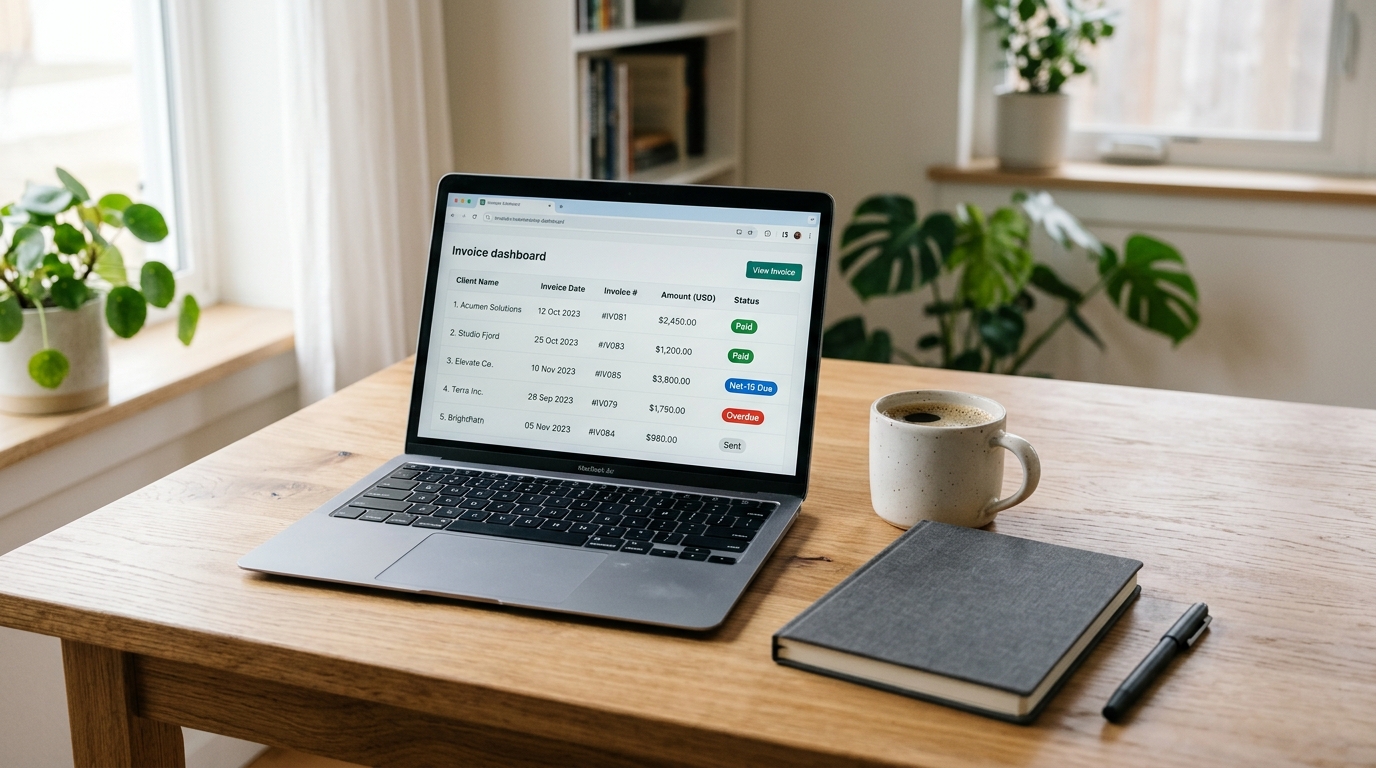
There is a very specific, sickening feeling you get when you open LinkedIn on a Tuesday morning and see your client posting a celebratory announcement about their new product launch or hiring spree—while your $3,400 invoice has been sitting in their unread inbox for 18 days.
Rent is due in four days. But instead of focusing on billable creative work or client acquisition, you sit at your kitchen counter, opening your email client and typing out a tentative message:
You delete it. You retype it. You add another smiley face so you don't sound “pushy.”
Here is what happens when that email lands in your client's busy inbox: They are juggling payroll, vendor bills, landlord leases, and customer tickets. Your timid message literally translates to: “This bill is optional. Pay everyone else first—I can afford to wait.”
Collecting the money you earned is not a personal favor. It is an agreed-upon contractual exchange. The moment you remove emotion from accounts receivable and treat billing like an automated business process, 90% of your late-payment friction disappears overnight. (If you want to prevent this from happening in the first place, see our complete guide on how to build a client onboarding system that eliminates payment disputes).
2. The Mechanics of Getting Paid Fast by US Clients
When dealing with US startups, agencies, and mid-sized businesses, payment delays rarely happen because the client hates you. They happen because corporate accounts payable (AP) systems run on strict, predictable internal routines. Understanding these 3 mechanics gives you an unfair advantage:
The Weekly AP Batch Run
Most US companies batch their QuickBooks/Gusto/Bill.com disbursements on Friday afternoons. If your reminder hits their inbox on Tuesday, it gets buried. If it lands on Thursday at 9:30 AM EST, it sits right at the top of the queue when accounting prepares Friday's payout run.
The W-9 Form Checkpoint
If you bill a US client over $600 in a calendar year, their finance team legally cannot cut a check without a completed Form W-9 on file for 1099 tax reporting. Send your signed W-9 PDF on day one during client onboarding so payments never stall on an administrative technicality.
Self-Serve Payment Links
American CEOs and creative directors read emails on iPhones while walking to coffee or standing in line. If paying your invoice requires opening a PDF, typing a 16-digit routing number, or logging into an external portal, they close the email. A direct Stripe or ACH link can be approved in 15 seconds with Apple Pay.
3. The 4-Stage Escalation Vault (Exact Copy-Paste Scripts)
These scripts are written in crisp, professional American English. Copy any template using the button and swap out the bracketed fields (like [Invoice Number] and [Amount]) with your project details before sending.
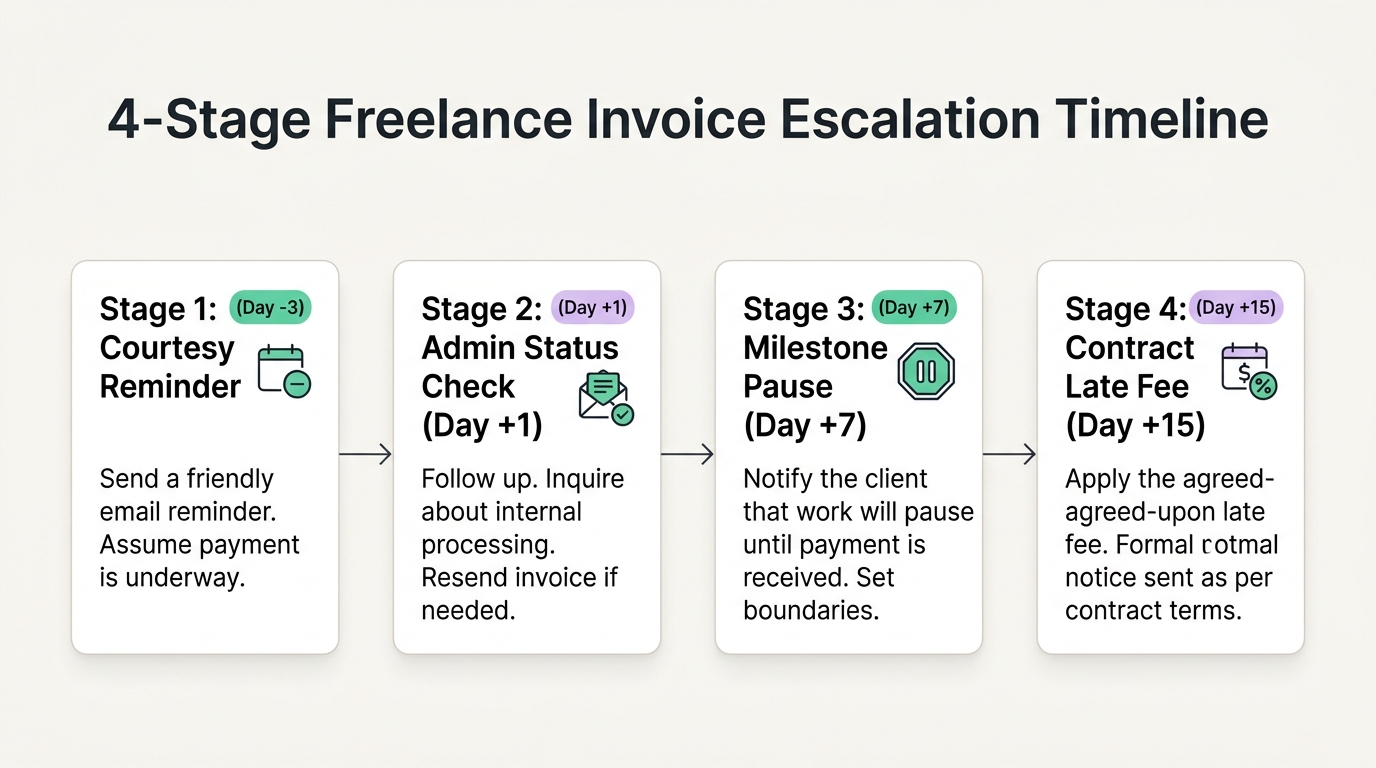
Stage 1: The Frictionless Courtesy Heads-Up (3 Days Before Due Date)
When to send: Exactly 72 hours before the due date (ideally Thursday morning to catch Friday's check run).Psychology: Zero accusation. You assume they are organized, and you provide a 1-click self-serve link.
Stage 2: The Objective Status Check (1 Business Day Past Due)
When to send: 24 hours after the due date passes.Psychology: Blame the bookkeeping software or internal AP backlog, not the client personally.
Stage 3: The Project Delivery Pause Notice (7 Days Past Due)
When to send: 7 calendar days past due.Psychology: Introduce real operational leverage. In business, actions have consequences. You aren't mad; you are simply pausing work to protect the contract.
Stage 4: Statutory Late Fee & IP Withholding Notice (15+ Days Past Due)
When to send: 15 to 30 calendar days past due.Psychology: Clear, calm, legal finality. You cite their signed agreement and state the concrete legal next step without yelling.
The Freelancer Follow-Up & Invoice Defense Kit ($0 on Gumroad)
Never sit at your screen second-guessing what to write again. Download the complete swipe vault including all 4 invoice recovery scripts, the 1.5% late fee contract clause, and the 1-tap Notion Follow-Up Tracker ready to duplicate into your workspace in 30 seconds.
4. The Ultimate Leverage: The Staging & Asset Lock Protocol
The best email script in the world cannot save you if you have already surrendered all your leverage. The single biggest mistake solo freelancers make is handing over final, unlocked production files before the final milestone invoice has cleared the bank.
Here is how experienced freelancers in each niche protect their deliverables without appearing distrustful:

Deploy to a staging URL (e.g., Vercel / Netlify preview) with HTTP Basic Auth password protection turned on. Never configure their custom live domain or transfer GitHub repository ownership until the Stripe webhook logs “Payment Succeeded”.
Share Figma files with “Can View Only” permissions (disable copy, duplicate, and export permissions in share settings). Present brand guidelines as interactive web presentations; deliver high-res SVG/vector files only after final deposit clears.
Upload review drafts to Frame.io or Google Drive at 720p with a subtle, 25% semi-transparent diagonal watermark across the middle. Export full uncompressed 4K ProRes master files only after the invoice clears.
Deliver long-form sales pages, email sequences, and whitepapers via Google Docs set to “Commenter” mode. Once final payment clears, switch access to “Editor” and export Markdown/Word deliverables.
5. Passive Follow-Ups vs. The Procedural Recovery Engine
Notice the psychological differences in how amateurs chase invoices versus how top 1% operators protect their business:
Field Breakdown: The Passive Chasing Trap vs. The Procedural Recovery Engine
| Feature / Dimension | Passive Chasing (The 'Just Checking In' Trap) | The 4-Stage Recovery Engine |
|---|---|---|
| Sender Identity | Personal freelancer email (Feels emotional, awkward, and guilty) | Dedicated billing alias (Detached, objective, and procedural) |
| Payment Mechanism | Static PDF only (Requires manual check or cumbersome wire setup) | 1-click direct Stripe / ACH digital button in the email body |
| Follow-Up Timing | Random sporadic emails sent when cash gets tight | Chronological calendar triggers (Pre-due, Day 1, Day 7, Day 15) |
| Asset Delivery Policy | Hands over all source files before receiving final payment | Source assets and staging servers locked behind cleared funds |
| Late Fee Policy | No contractual clause; relies on client goodwill | Standard 1.5% monthly late fee backed by initial signed SOW |
| Average Days to Settle | 25 to 45+ days with frequent ghosting and stress | 2 to 4 business days after Stage 2 or Stage 3 reminder |
6. How to Handle Common Client Billing Excuses Without Freezing Up
When a client replies with an excuse, do not improvise. Use these exact verbal scripts:
Client Billing Objection Routing Matrix
How to respond to standard accounts payable delays while defending your boundaries.
Their internal accounting schedule does not override your signed contract. Respond: "Understood! To avoid having to pause active design work until the 15th, you can clear this immediately via company credit card using our 1-click Stripe link."
Never debate whether it was eaten by a spam filter. Re-forward the original message with the timestamp visible: "I have re-attached it here for ease of payment. Please confirm receipt so we can keep the milestone release active."
Never accept informal payment splits. Respond: "I understand cash-flow pinches. We can split the balance: 50% paid today, and 50% scheduled for automatic charge in 14 days. We will adjust the final production handoff date to match."
7. How to Set Up Automated Reminders for $0 (Stripe & Wave)
You do not need an expensive $50/month billing tool like FreshBooks or Bonsai. You can automate 90% of this workflow using free native features (or by combining it with a minimal Notion freelancer CRM pipeline):
The $0 Automated Payment Reminder Blueprint
Configure these native automation settings inside your payment processor to eliminate manual follow-up effort entirely.
Inside your Stripe Dashboard under Settings → Invoicing, turn on "Automatic Reminders". Set notifications to fire automatically 3 days before the due date, on the due date, and 3 days post-due.
For invoices over $2,000, enable Stripe ACH Bank Transfer (0.8% fee capped at $5) rather than credit cards (2.9% + 30¢), saving you $100+ in processing fees per transaction.
Never write "Freelance Services". Write: "Milestone 2 Deliverables: Approved Figma Design System & 5 Mobile Responsive Pages (As per SOW Agreement Dated 10/12/2026)".
Never do 100% on completion. Bill 50% upfront deposit, 25% at midpoint milestone review, and 25% final balance before production source code or asset delivery.
8. The 2 Contract Clauses That Eliminate Payment Delays Before Kickoff
You cannot legally enforce a late fee or stop work unless it is in your signed agreement. Paste these two exact clauses into your next project agreement:
“Invoices not paid within fifteen (15) calendar days of the specified Due Date shall be subject to a late fee of one and one-half percent (1.5%) per month (18% per annum) or the maximum legal rate permitted under applicable state law, whichever is less, assessed on the remaining unpaid balance until full payment is received.”
“The Service Provider reserves the right to suspend active project performance and withhold final production deliverables, source files, and intellectual property transfers in the event any invoice balance remains past due by seven (7) or more calendar days. The Client agrees that project delivery deadlines shall be extended by an amount of time equal to the payment delay.”
Freelancer Cash Flow & Invoice Defense Checklist
Interactive tracker — click items as you complete them
Never begin billable delivery on a verbal promise or pending wire.
Establishes a firm chronological deadline for accounts payable teams.
Prevents mid-project finance holds when client AP teams run monthly tax compliance audits.
Enables instant mobile clearance via Apple Pay, Google Pay, or bank transfer.
Catches the client finance team right before their Friday afternoon check batch.
Guarantees 100% operational leverage until your contract is completely paid.
Client Kickoff Kit: Onboarding Workflow & Scope Defense
A turnkey Notion operating system pre-configured with client intake forms, automated milestone tracking, and contract scope defense clauses.
- The Onboarding Command Center with 3 Filtered Views
- 3 Contract Scope Creep & Late Payment Defense Boilerplate Clauses
- Automated Milestone Readiness Radar with Invoicing Checkpoints
- Ready-to-Use 4-Stage Email Script Vault (Copy-Paste Formatting)
Frequently Asked Questions: Collecting Overdue Invoices
How do you politely ask a freelance client for payment?
Send a concise, 3-sentence email with an embedded 1-click digital payment link: "Hey [Name], quick heads-up that Invoice #1042 ($2,400) is due this Friday. Here is the direct link to pay via card or ACH: [Link]. PDF attached for your records." Remove timid phrases like "just checking in" and never apologize for asking for your money.
Can I legally charge a late fee if it was not in my original contract?
No. Under US contract law, you cannot retroactively impose late payment penalties or interest fees if they were not explicitly disclosed and agreed to in the signed agreement prior to commencing work. Always include a 1.5% monthly late fee clause in your initial Statement of Work.
How do I handle a long-time client who suddenly pays 30 days late?
Pick up the phone and have a direct, empathetic conversation. Long-time clients who suddenly miss payments are often experiencing internal cash flow contractions or executive reorganizations. Ask: "I noticed Invoice #1042 has not cleared. Are you running into any billing roadblocks on your end so we can work out a temporary payment schedule?"
Should I ever deliver completed work before the final invoice clears?
Never deliver high-resolution source files, transfer website ownership, or push production code to client servers before the final payment has cleared. You can demonstrate completed work via Loom video screen-recordings or a password-protected staging environment, but retain the source assets as your ultimate payment security.
What is the best free software for freelance invoice tracking?
Stripe Invoicing and Wave Invoicing both provide 100% free platforms that allow solo operators to send professional invoices, accept credit card and ACH payments, and configure automated reminder notifications with zero monthly subscription fees.
Related Master Blueprints
How Freelancers Can Build a Client Onboarding System That Does Not Depend on Memory
A battle-tested 4-phase framework for solo service providers to build a shareable Notion client portal, set firm scope boundaries, and automate milestone kickoffs.
ai-productivityHow Solopreneurs Can Run an Autonomous AI Weekly Planning Sprint in 20 Minutes
A step-by-step prompt chain protocol using Claude and ChatGPT to analyze past weekly output, prioritize high-leverage revenue sprints, and eliminate Monday decision fatigue.
notion-systemsHow to Build a Minimal 5-Property Notion CRM That You Will Actually Maintain
Stop paying $50/month for bloated CRM software. Build a lean, relational Notion client pipeline with exactly 5 properties that takes 60 seconds to update.